Sovelia CAD Add-In Release News
Read all Sovelia CAD Add-In release news since 2026 here.


Sovelia® AutoCAD is a mature product and the focus in product development is to improve the functionality of the tool based on users and customers ideas. All the new functionality for this 2023 release is based on customer's requests and needs. You can get the latest version by contacting us info@sovelia.com.
When Working with AutoCAD we often use blocks to insert components and also for title blocks and tables. Sovelia® AutoCAD have tools to simplify that and we have this year added functionality for managing blocks.
From the Find Block command we get a interface where we can search and find, edit and replace blocks in a easier way.
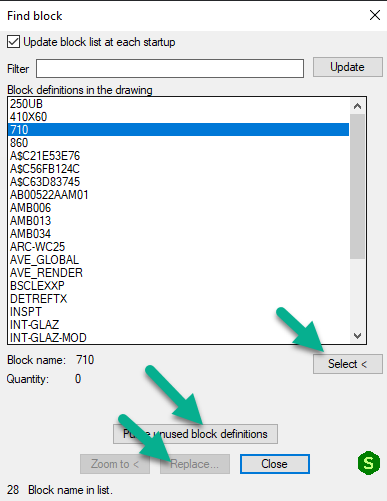
When using Symbols we can replace symbols by selecting or multiselect symbols. This simplifies the job of doing design changes.
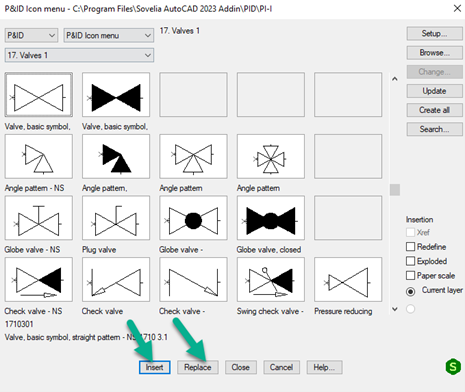
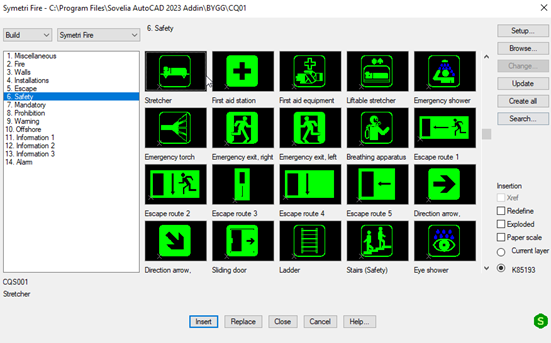
Its a completely new fire symbol library available. We can insert symbols and tables and manage them in Sovelia® AutoCAD.
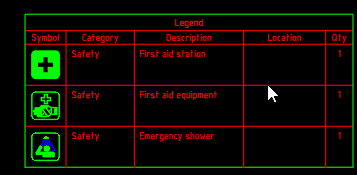
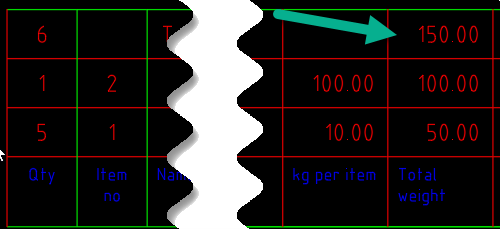
Its possible to add information to the items in a drawing, insert a table and get it automatically summarized. For example weight as below.
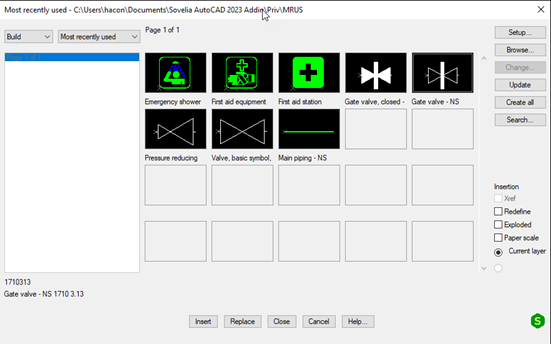
When working in multidiscipline drawings there's a lot of menus and symbols to keep track on, but we have made it easier by introducing a menu with the last 20 used symbols so its faster to find them again.
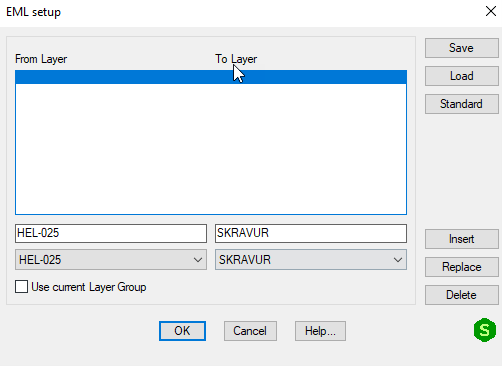
When working with old drawings they quite often don't comply with the current layer settings. We have introduced tools to create and import layers. The setup is quite easy using a configurator where we can create, save and load the setup.
Read all Sovelia CAD Add-In release news since 2026 here.
Sovelia Configurator release news
Sovelia Core 25.2 focuses on improving usability, streamlining daily work, and strengthening overall system reliability.