Sovelia Core PLM Release News
Sovelia Core PLM release news


On this page you can find all Sovelia Configurator release news published in the year 2026.
In 2026, Sovelia Configurator adopts a new year‑based version numbering model. Version numbering now reflects the year in which the development work has taken place. The latest version is 26.1, released in October 2026.
October 19, 2026
Sovelia Configurator 26.1 continues the focus on flexibility, making it easier to adapt the Configurator to customer-specific needs and to connect it with other systems. Extended scripting, a broader standard API, and enhanced SmartBOM capabilities reduce friction in integrations and customization, while separate resources for order BOM, pricing, and design automation open the door to more varied pricing models. Intelligent stretching of 3D parts keeps rule sheets simpler, and new working examples, together with wider help content, help users get more out of the system.
Every customer uses Sovelia Configurator a little differently, and fitting the standard functionality to those needs has often meant extra development work or complex workarounds. This release reduces that friction with extended scripting possibilities, new functionality in the standard API, and enhanced SmartBOM capabilities.
As a result, more customer-specific requirements can be handled through configuration and scripting rather than custom development. Integrations with other systems become more straightforward, and BOM output is easier to adapt to each customer's needs. Enhanced documentation for scripting and the API helps system managers and integration teams get started faster and keeps the solution easier to maintain over time.
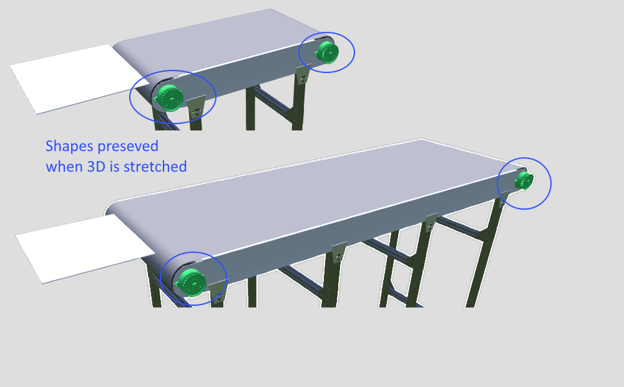
Working with lightweight 3D parts is now simpler, as Sovelia Configurator can stretch them intelligently. Stretching a part without breaking it has typically required users to work out complex formulas themselves. The Configurator now handles this, so parts can be resized reliably without that manual effort.
This saves time when building and maintaining configurations and keeps rule sheets simpler.
Order BOM, pricing, and design automation can now each be defined with their own separate resources. In some cases, pricing needs to be handled independently of the order BOM, and keeping these resources apart makes that possible.
This gives more flexibility for building different types of pricing models for configurations, including complex ones.
To make new and existing functionality easier to put into practice, more working examples have been added based on customer feedback. They give users practical starting points for the kinds of tasks they come across in their daily work.
The existing help content inside the application has also been enhanced and widened to cover more areas of the configurator. Together, the new examples and the broader documentation help users find answers faster, reduce the learning curve, and support more self-guided work.
September 4, 2026
Version 26.0 strengthens Sovelia Configurator’s flexibility and usability with two key additions: scripting support for advanced rule logic and built in help content available directly inside the application. System managers gain more control over creating complex configuration behaviors, while end users and administrators benefit from easier onboarding and immediate access to guidance. These improvements make configuration work more efficient and help users stay productive without relying on external documentation or development resources.
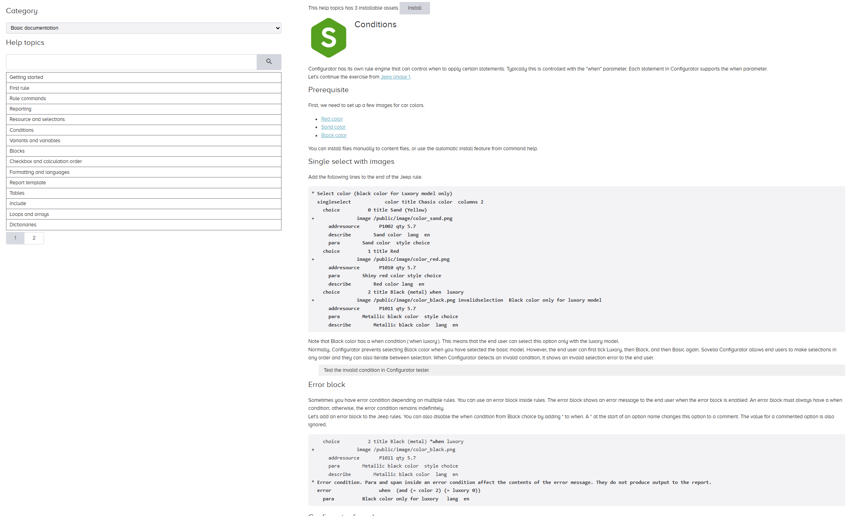
Version 26.0 introduces scripting support that gives system managers greater control over advanced configuration logic. Instead of relying only on rules or requesting development work for complex cases, managers can now create custom functions and statements directly within Sovelia Configurator.
The scripting functionality offers a clear way to define advanced logic and handle customer specific requirements more efficiently. Teams can implement richer formulas, introduce new rule behaviors, and extend configuration logic in a more flexible and manageable way.
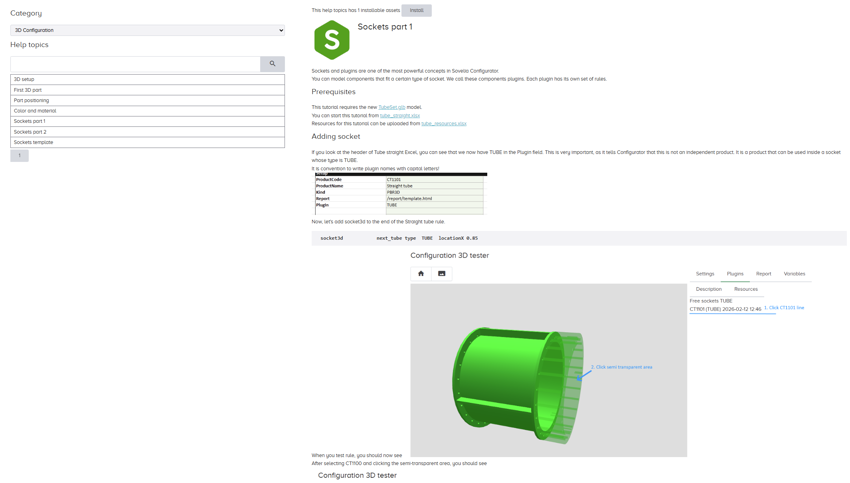
Version 26.0 adds built-in help pages that administrators and end users can access directly inside the application. The help content is readily available where it’s needed, making guidance easier to locate and reducing the need to switch between external documentation sources.
This improves both onboarding and day to day learning, giving users quick support as they navigate features and workflows. The result is a smoother start for new users and a more self-guided experience for everyone.
March 16, 2026
Sovelia Configurator 25.0 focuses on improving administration, usability, and integration capabilities. Administrators gain clearer tools for setup, maintenance, and table management, while users benefit from enhanced 2D workflows and a more capable shopping basket. A new standard API also opens the door for safer, more scalable integrations. Together, these updates strengthen everyday workflows and provide a more flexible foundation for future development.
A more consistent approach to system setup and maintenance helps administrators keep the environment predictable and easier to manage. Routine tasks—such as updates and adjustments—are now simpler, which also supports smoother system upgrades.
Configuration options have been clarified and expanded, giving administrators more freedom and flexibility when modifying functionalities. Overall, maintaining and adapting the system now requires less manual effort and follows a clearer, more unified structure.
The shopping basket now offers improved support for handling attachments, making it easier to include and manage the files that are essential for CPQ workflows. Attachments can be added directly through the API, and each file can be defined as either public or private, controlling whether it is visible to the end user or reserved for administrators.
These improvements help keep attachment management straightforward and reliable, especially in processes where files play a central role. The new structure enables more powerful automation options, reducing repetitive manual work and ensuring that attachment handling stays consistent across different use cases.
A new standard, documented API provides a safer and more consistent way to integrate with the Configurator. External systems and scripts can retrieve and update information through a single secure endpoint, with each API key carrying its own access rights.
All calls are validated, and inputs and outputs are logged to support transparency and administration. New operations can be added with minimal effort, allowing the API to expand as integration needs grow. This foundation enables tasks such as updating shopping baskets and attachments, copying tables between environments, or transferring configuration data between Configurator instances.
Layer functionality is now available for 2D views, similar to the tools already used in 3D. Users can organize 2D elements into separate layers, making it easier to structure and control the visual layout. Layers can be shown or hidden freely, helping users focus on the elements they need at any moment. This improves clarity during configuration work and supports a more organized overall workflow.


New, more flexible options for managing configuration rule tables allow system administrators to define and update table structures themselves, reducing the need for development involvement and simplifying maintenance of larger rule sets.
Table definitions can be created either through a dedicated UI or using JSON‑based configuration, depending on the environment. This added flexibility supports customers who rely heavily on tables and need more self‑service capabilities for managing them.
Sovelia Core PLM release news
Sovelia Routing release news
Sovelia Inventor release news